
BIG NEWS: Homestead is a 2026 BBB Torch Awards for Ethics Finalist.
READ THE STORY →

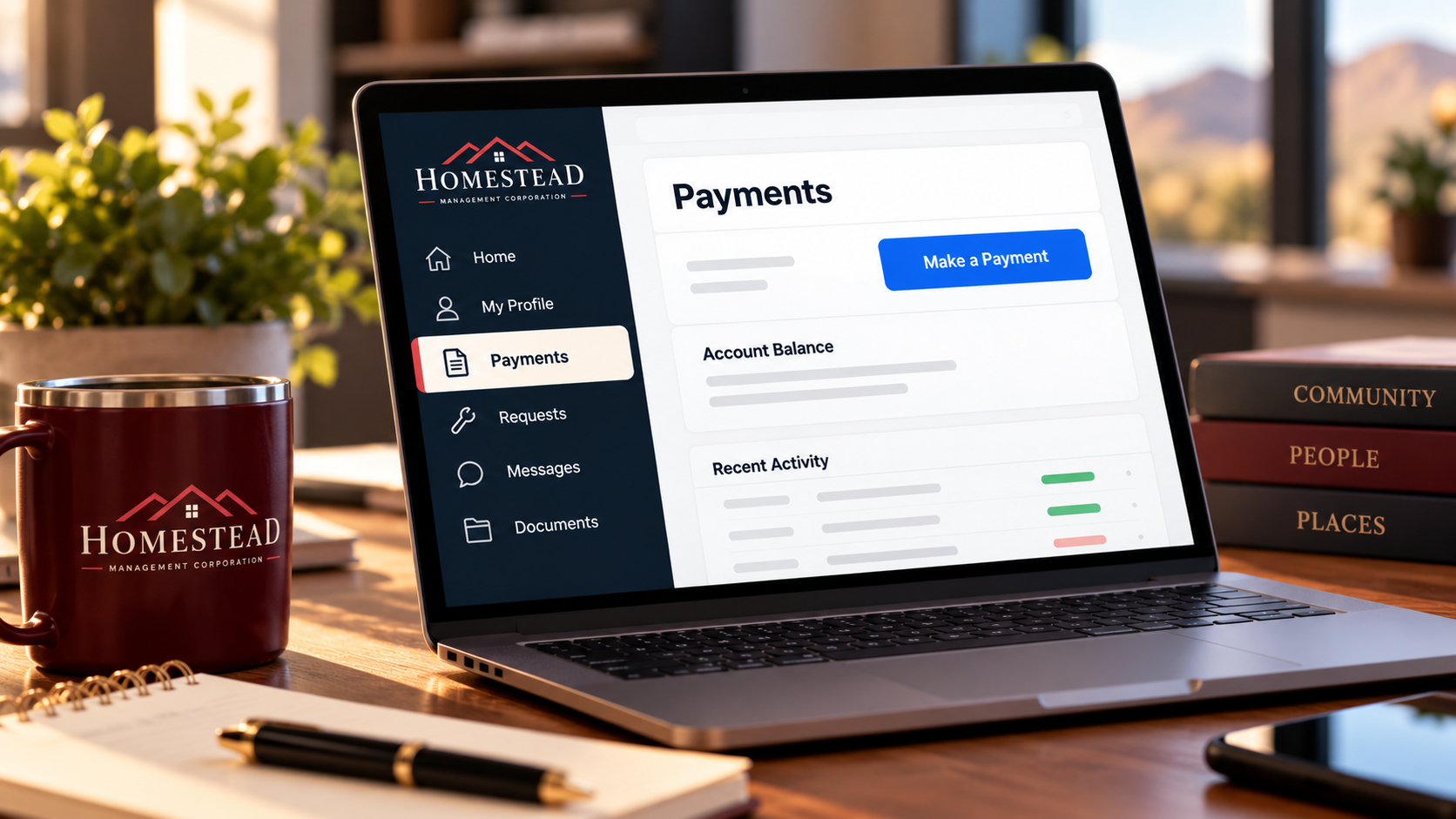
Homeowners can make HOA payments through the Homestead Management homeowner portal by opening the Payments section and selecting Make a Payment. Payment processing is handled through Alliance Association Bank, which supports one-time payments and registered payment accounts for scheduled or recurring payments. Homeowners can use an eligible bank account or debit/credit card, depending on the payment option selected. Some payment methods may include processing fees.
A step-by-step guide to one-time payments, bank accounts, credit cards, and recurring HOA assessments.
Paying your HOA assessments online doesn't have to be complicated. Whether you're making a one-time payment or setting up recurring payments, your Homestead Management homeowner portal provides a convenient starting point. From the Payments section of your portal, you can access the payment services provided by Alliance Association Bank. You can make a one-time payment, create a bank payment account, or manage scheduled and recurring payments. In this guide, we'll walk through each option.
Prefer watching instead of reading? Watch the video above!
Hannah, Homestead's virtual assistant, walks through the payment process on screen, including how to find your account numbers, choose a payment method, and create an account for future payments.
First, sign in to your Homestead Management homeowner portal.
From your home screen:
You'll see two choices:
Although their names might seem similar, these buttons provide different ways to access Alliance Association Bank's payment services.
If you've already registered an Alliance Association Bank payment account, select Make a Payment. The first time you use this option, you may be asked to enter your Alliance Association Bank payment account password. This connects your existing payment account to your Homestead homeowner portal. Once connected, you'll be able to access your payment account directly through the homeowner portal without signing in separately each time.
Important: Your Alliance Association Bank password is not the same as your Homestead homeowner portal password. These are separate accounts.
If you haven't created an Alliance Association Bank payment account, select Credit Card. Despite the button's name, this option takes you to the bank's payment website, where you can explore guest payment options or create an account. From there, you can choose how you'd like to proceed.
You don't have to register a new payment account just to make a single HOA payment.
From the Alliance Association Bank payment website:
You'll be asked to provide some basic personal information and identify the association and property receiving your payment.
To make sure your payment is associated with the correct property, the bank will ask for three important identifiers:
For Homestead Management Corporation, the Management Company ID is 0850.
Your Association ID and Property Account Number are specific to your association and property.
All three identifiers can be found on your association's payment coupon. Look for the Management Company ID, Association ID, and your individual Property Account Number. These details are important. Entering an incorrect number can cause payment-processing problems or prevent your payment from being correctly associated with your property. If you're unable to locate your payment coupon or identify the correct numbers, contact your Homestead community manager for assistance.
After entering your information:
Alliance Association Bank provides different payment methods, including payments from a bank account and debit or credit card payments.
If you prefer to pay directly from a bank account, select the Bank Account option.
You'll be asked for:
Review these numbers carefully before continuing. Follow the prompts to select your payment date and proceed to Review and Finalize Payment.
If you'd rather use a debit or credit card, select the Debit/Credit Card option. Follow the prompts to choose the appropriate card type, enter your payment amount, and select your payment date. Before entering your card information, review the payment summary, including any applicable processing fees. Then select Enter Payment Info. You'll be prompted to provide your cardholder name, card number, expiration date, and security code. Follow the remaining instructions to submit your payment.
A note about processing fees: Some payment methods may involve additional processing fees. Always review the total amount before completing your transaction.
Before submitting any payment, take a moment to verify:
For bank account payments, double-check your routing and account numbers. For debit or credit card payments, verify the entered card information. Follow the final confirmation prompts and make sure the payment process has been completed.
Helpful tip: Keep your payment confirmation or transaction reference for your records. Remember that submitting a payment doesn't necessarily mean the funds will appear immediately in your HOA account history. Payment processing and posting may take additional time.
If you plan to pay your assessments online regularly, creating an Alliance Association Bank payment account may be more convenient than making individual guest payments.
From the bank's payment website:
Once your account is established, you can sign in to manage payments, review payment history, and arrange scheduled or recurring payments.
Yes. Registered Alliance Association Bank payment accounts provide options for arranging recurring payments. After creating and accessing your bank payment account, look for the available scheduled or recurring payment settings. Follow the bank's instructions to configure your payment schedule and review the setup details before saving. It's a good practice to revisit recurring payment arrangements whenever your association's assessment amount changes, particularly around the beginning of a new budget year.
After creating your Alliance Association Bank payment account, you can return to the Homestead homeowner portal. Open the Payments section and select Make a Payment. Follow the instructions to connect your existing bank payment account using your Alliance Association Bank password. Once connected, you'll have more convenient access to your payment account directly from your homeowner portal. Your Homestead portal credentials and bank payment account credentials remain separate.
No. The guest payment option allows you to make a one-time payment without establishing a registered Alliance Association Bank payment account.
Homestead Management Corporation's Management Company ID is 0850. You'll also need your specific Association ID and Property Account Number, which can be found on your payment coupon.
Yes. The bank's payment website provides a bank account payment option as well as debit/credit card options.
Yes. You can create a registered Alliance Association Bank payment account and use the available recurring payment features.
No. Your Homestead homeowner portal and Alliance Association Bank payment account use separate login credentials.
Processing fees may apply depending on the selected payment method. The payment website will display applicable fees for your review before you finalize the transaction.
Your Property Account Number is listed on your association's payment coupon, along with the Association ID and Management Company ID. If you cannot locate the information, contact your Homestead community manager.
Complete the bank's final submission steps and look for the payment confirmation. Keep the confirmation information for your records. Payment posting to your association account may not be immediate.
Your homeowner portal is designed to make routine account tasks easier, but we understand that payment questions don't always fit neatly into an online form. If you need help locating your property information, identifying your account numbers, or understanding how to access your payment options, contact your Homestead community manager. And if you're looking for guidance on navigating your homeowner portal, Hannah is always available to help you find your way.
Homestead Management Corporation — Professional HOA Management Since 1978.